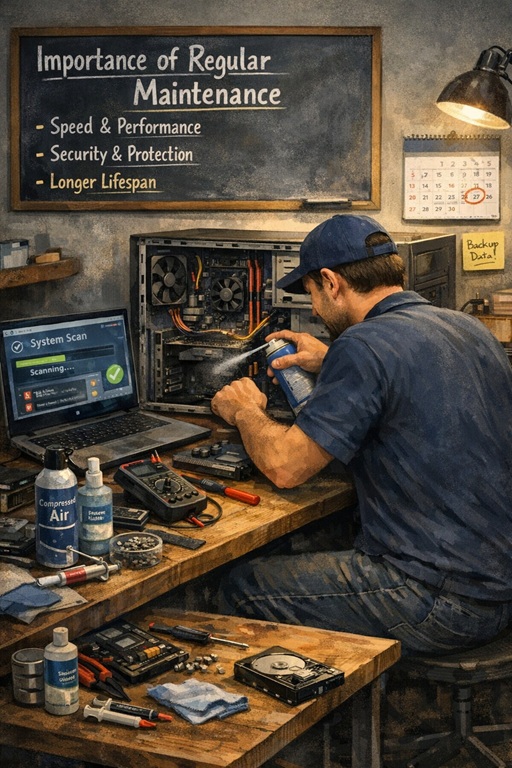
Keep Your Computers Healthy: The Importance of Regular Maintenance
Computers are powerful tools, but like any machine, they require regular care to perform at their best. Over time, dust, dirt, and software issues can accumulate, leading to slower performance, overheating, and even hardware failure. Regular maintenance ensures your devices stay reliable and extend their useful life.
Prevent Overheating and Hardware Damage
Dust buildup inside a computer isn't just unsightly, it blocks airflow, reduces cooling efficiency, and can cause components to overheat.
- Overheating can shorten the lifespan of CPUs, GPUs, and hard drives.
- Fans clogged with dust run louder and less efficiently.
- Excess heat can lead to sudden shutdowns or permanent damage.
Cleaning dust from vents, fans, and internal components is a simple step that prevents long-term damage and keeps your system running efficiently.
Keep Software and Systems Running Smoothly
Maintenance isn't just physical. Software updates and regular system checks are equally important.
- Operating system updates patch security vulnerabilities.
- Driver and firmware updates ensure hardware functions correctly.
- Removing unnecessary files and programs improves performance.
Keeping software up to date reduces errors, enhances speed, and ensures that your computer remains compatible with the latest applications.
Prevent Data Loss and Unexpected Downtime
Regular maintenance also includes monitoring storage, backups, and system health to prevent avoidable interruptions.
- Check hard drives for early signs of failure.
- Ensure automatic backups are functioning correctly.
- Scan for malware or corrupted files before they cause major issues.
By proactively maintaining your devices, you reduce the risk of lost files, downtime, and expensive repairs.
Extend the Life of Your Devices
A well-maintained computer lasts longer and performs better over time. Regular cleaning, software checks, and preventive care can delay the need for costly replacements.
- Physical cleaning prevents premature hardware wear.
- Software maintenance keeps systems responsive.
- Preventive care maximizes your investment in technology.
Think of it like servicing a car. Routine attention now saves headaches and costs later.
Who Should Prioritize Regular Maintenance?
Small and Medium Businesses
SMBs rely on their computers for daily operations. Overheated or poorly maintained devices can slow workflows, affect productivity, and risk critical data loss.
Remote Workers and Home Offices
For people working from home, a single computer failure can halt the day's work. Simple maintenance routines prevent preventable disruptions.
Creative Professionals
Designers, video editors, and content creators rely on high-performance machines. Regular maintenance ensures their devices handle large files without overheating or crashing.
In the end, whether for work or personal use, regular maintenance is essential. Clean dust, update software, and check system health. It keeps your computers reliable, safe, and long-lasting.